> ## Documentation Index
> Fetch the complete documentation index at: https://docs.ando.so/llms.txt
> Use this file to discover all available pages before exploring further.

# Studio

> Find Studio sections for apps, wiki, API keys, webhooks, and scripts.

## Studio

<section className="ando-scan-card">
  <h3>Overview</h3>

  Workspace tools, apps, automation, and shared context live here.

  <div className="ando-scan-row ando-scan-row-path"><span>Go</span><p>Click Studio in the left rail, or use Cmd/Ctrl+K and type Studio.</p></div>

  <div className="ando-scan-row ando-scan-row-tip"><span>Note</span><p>Wiki: /studio/wiki. Shared context for the workspace, its channels and its members.</p></div>

  <Frame>
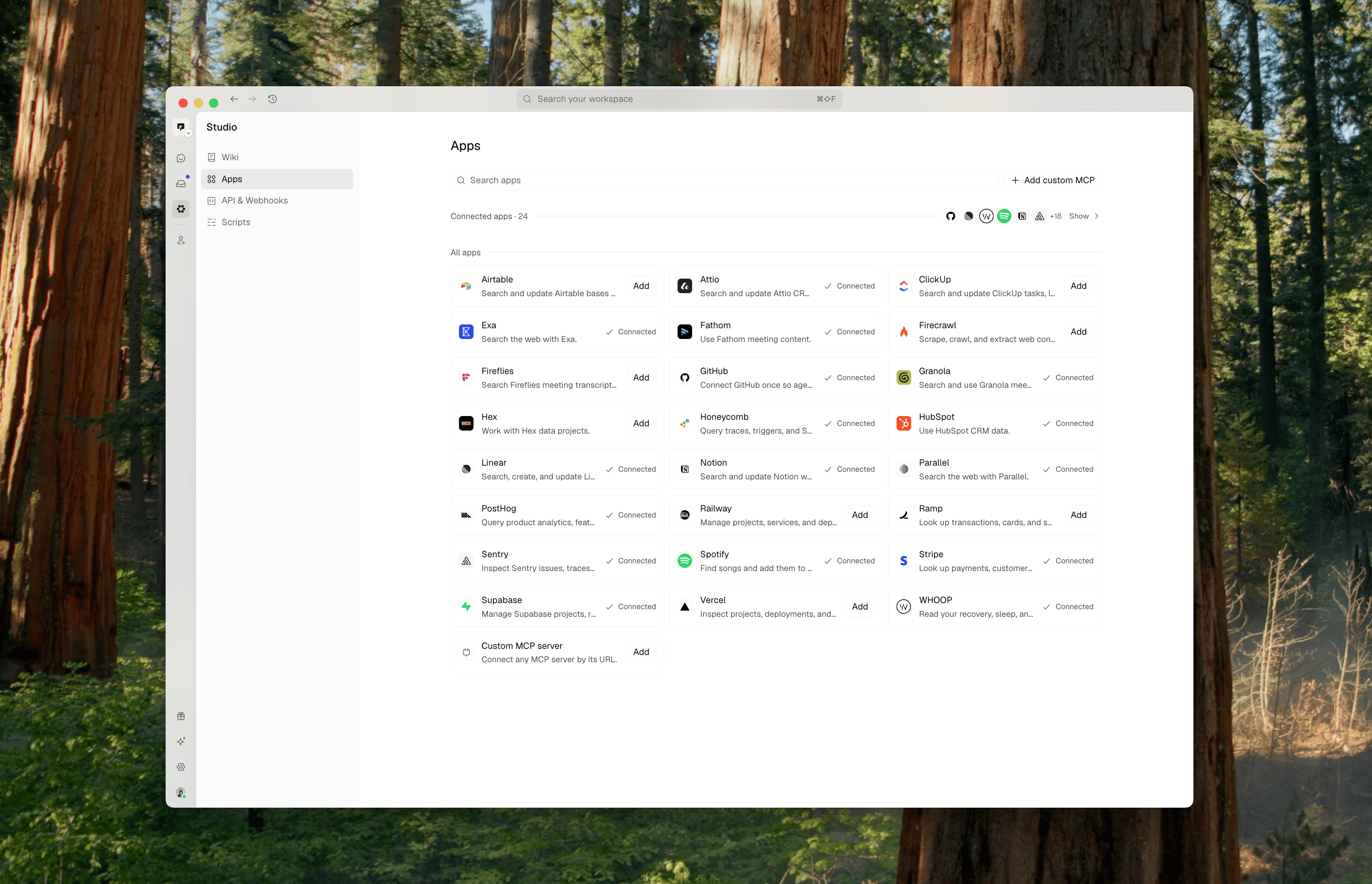
    <img src="https://mintcdn.com/ando/g7KVLPh2cbNMSwoa/images/studio-apps-overview.png?fit=max&auto=format&n=g7KVLPh2cbNMSwoa&q=85&s=2de3a256f28ba6a165db4cf81a26f01a" alt="Studio Apps page showing app connection cards, search, and custom MCP controls." width="3596" height="2316" data-path="images/studio-apps-overview.png" />
  </Frame>
</section>

## Apps and tools

<section className="ando-scan-card">
  <h3>Apps</h3>

  Add workspace apps, personal connections, and custom MCP servers.

  <div className="ando-scan-row ando-scan-row-path"><span>Go</span><p>Click Studio in the left rail; it opens on Apps.</p></div>

  <div className="ando-scan-row ando-scan-row-tip"><span>Note</span><p>Workspace connections are shared; personal connections are yours, and you choose which agents may use them.</p></div>

  <div className="ando-scan-row ando-scan-row-link"><span>More</span><p><a href="/docs/connecting-apps-to-ando">/docs/connecting-apps-to-ando</a></p></div>
</section>

<section className="ando-scan-card">
  <h3>API keys and webhooks</h3>

  Create API keys and incoming or outgoing webhooks.

  <div className="ando-scan-row ando-scan-row-path"><span>Go</span><p>Studio → API & Webhooks</p></div>

  <div className="ando-scan-row ando-scan-row-role"><span>Who</span><p>API keys for any member; webhooks for admins</p></div>

  <div className="ando-scan-row ando-scan-row-link"><span>More</span><p><a href="/developers/webhooks">/developers/webhooks</a> · <a href="/developers/api-reference">/developers/api-reference</a></p></div>
</section>

## Automations

<section className="ando-scan-card">
  <h3>Scripts</h3>

  Run approved code from automations.

  <div className="ando-scan-row ando-scan-row-path"><span>Go</span><p>Studio → Scripts</p></div>

  <div className="ando-scan-row ando-scan-row-role"><span>Who</span><p>members can view; admins approve and manage</p></div>

  <div className="ando-scan-row ando-scan-row-tip"><span>Note</span><p>There is no New script button; ask an agent to write one.</p></div>
</section>

<section className="ando-scan-card">
  <h3>Automations</h3>

  Schedule an agent, message, or script.

  <div className="ando-scan-row ando-scan-row-path"><span>Go</span><p>Click an agent > Automations tab.</p></div>

  <div className="ando-scan-row ando-scan-row-role"><span>Who</span><p>full members (not guests); native agents only</p></div>

  <div className="ando-scan-row ando-scan-row-tip"><span>Note</span><p>Schedules are written in plain language with presets such as Every weekday at 9:00 AM, plus a timezone.</p></div>
</section>


This documentation is built and hosted on [Mintlify](https://mintlify.com), a developer documentation platform.